AI assistants (MCP)
People can connect their own AI assistant (Claude Desktop, Claude Code or any MCP client) to the site's translation rules. What they translate outside the admin then follows the same glossary, style guide and approved translation memory. The assistant does the translating, so the site needs no ANTHROPIC_API_KEY for this.
Turn it on #
Set MCP_ENABLED=true and restart. Without it, /api/mcp answers 404 and no key works. With it, the Glossary, Translation style guide, Translation memory, Translation proposals and Import translations show in the admin even without an Anthropic key.
Without ANTHROPIC_API_KEY, publishing a translation teaches Translation memory nothing: learning from a publish runs on the key. Editors approve entries in Translation memory instead, and its description says so.
Keys #
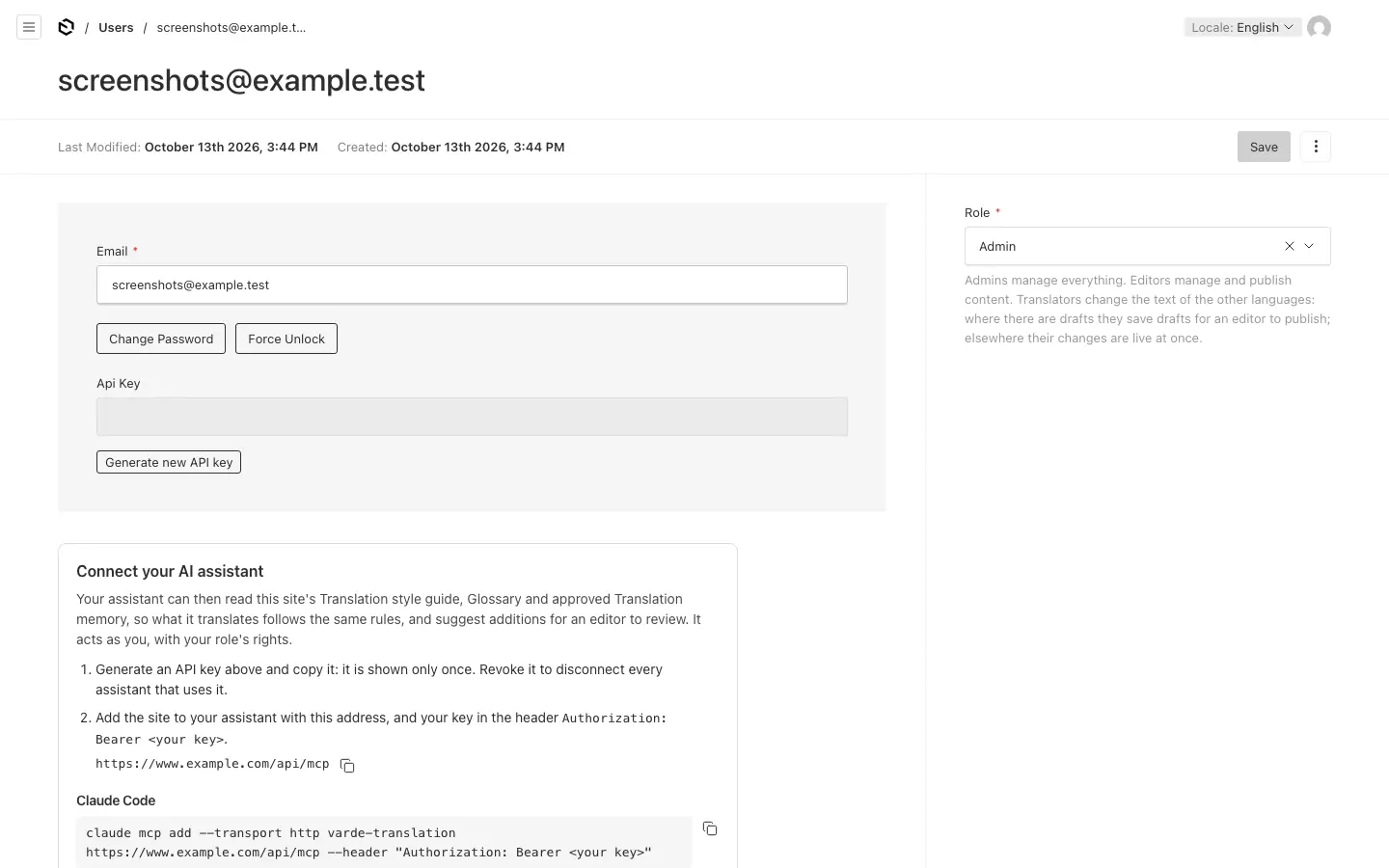
- Each person turns on their own key under their account in the admin (Generate new API key), or an admin does it for them. The key is shown once. Revoke API key turns it off; a new key replaces the old one.
- The assistant acts as that person, with their role: translators read and suggest; editors and admins can also set glossary decisions.
- A key opens the assistant connection and nothing else.
The account page shows the address, https://<your site>/api/mcp, and how to connect, ready to copy. The key goes in a header, Authorization: Bearer <key>, never in the address.
Connect an assistant #
Claude Code:
claude mcp add --transport http my-site https://www.example.com/api/mcp --header "Authorization: Bearer <key>"Or in a project's .mcp.json, with the key in an environment variable rather than in the file:
{
  "mcpServers": {
    "my-site": {
      "type": "http",
      "url": "https://www.example.com/api/mcp",
      "headers": { "Authorization": "Bearer ${SITE_TRANSLATION_KEY}" }
    }
  }
}
Claude Desktop: Customize → Connectors → Add custom connector. Enter the address, choose "No sign in", and under Request headers add Authorization with the value Bearer <key>. The site must be reachable from the internet. On Team and Enterprise plans everyone who uses a connector shares its header, and so the key: use Claude Code there.
Tools #
| Tool | Who | What it does |
|---|---|---|
get_translation_context | everyone | The style guide, the glossary decisions and the approved translations of given texts, for one language |
lookup_glossary | everyone | The reviewed glossary for one language |
suggest_translation | everyone | Saves a translation in Translation memory as a draft, never reused until a person approves it |
suggest_glossary_term | everyone | Adds a term unreviewed; it steers nothing until a person reviews it |
suggest_locale_instruction | everyone | Proposes a note for one language; it changes nothing until an editor approves it into the style guide |
set_glossary_term | editors, admins | Sets a glossary decision for one language, live at once |
Editors review suggestions in the admin: drafts in Translation memory (set them to Approved), terms in the Glossary (tick Reviewed) and notes in Translation proposals (Approve or Dismiss). Each shows who made it.