News, jobs, dealers, cases and the catalog
Besides pages, the site can have five kinds of content, each with its own place in the sidebar and its own addresses. Your developer decides which are switched on; a switched-off one is simply not in the admin.
They share a few habits:
- Published (in the sidebar) is set on the first publish. Lists show the newest first.
- Hide from lists keeps a document out of lists, index pages, cards and the sitemap. Its own address still works.
- Topics (under Content) tag articles, case studies and products. A topic has a title, a description and a page that lists what is tagged with it, for news and case studies.
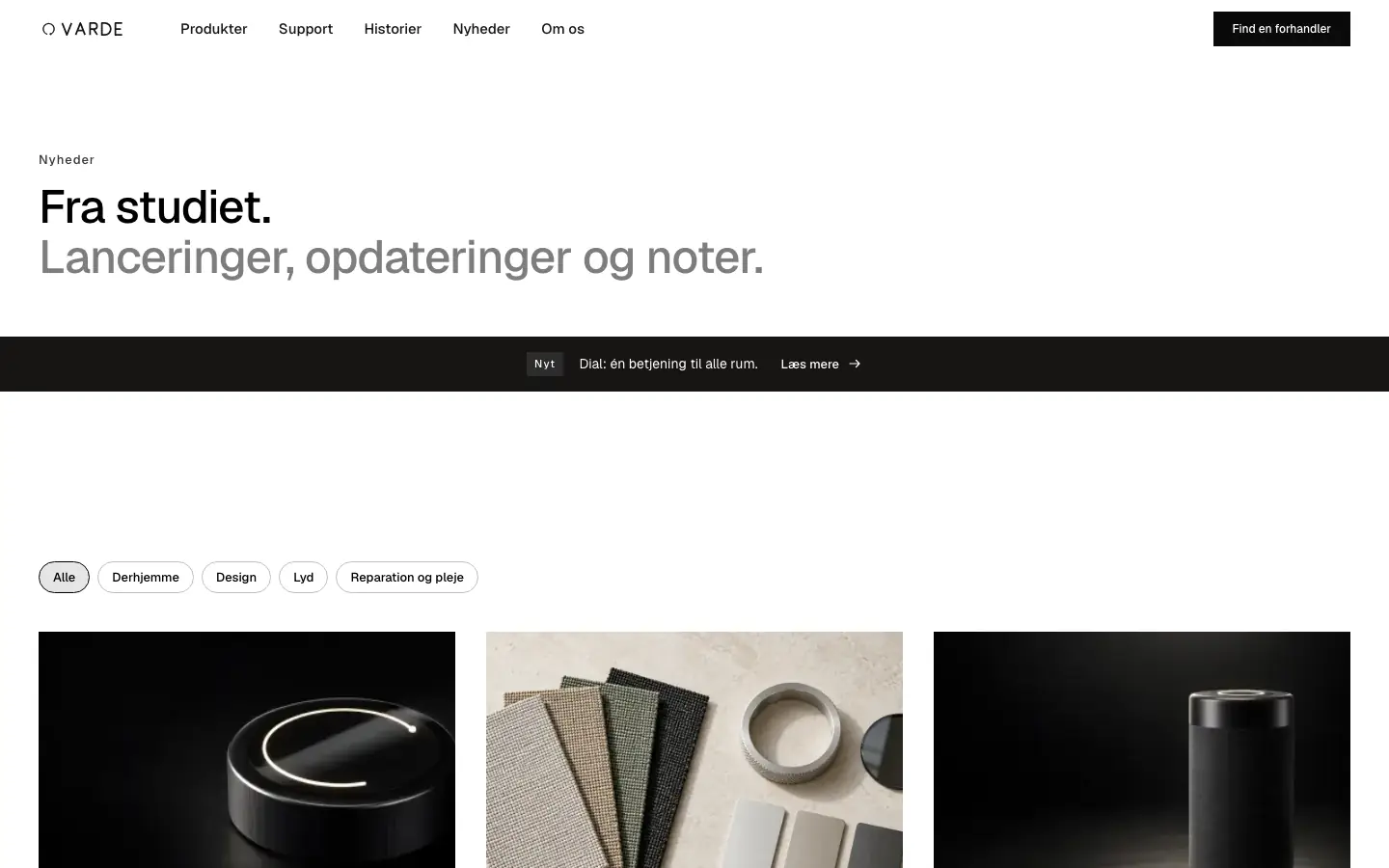
- Index pages: a page with "Index page for" set to the collection is shown at its address, with the list. Without one, the address shows a heading and the list.
- Cards: the Card tab, where there is one, shapes how the document looks when another page features it.
News #
News → Articles, at /news, with a page per topic and an RSS feed.
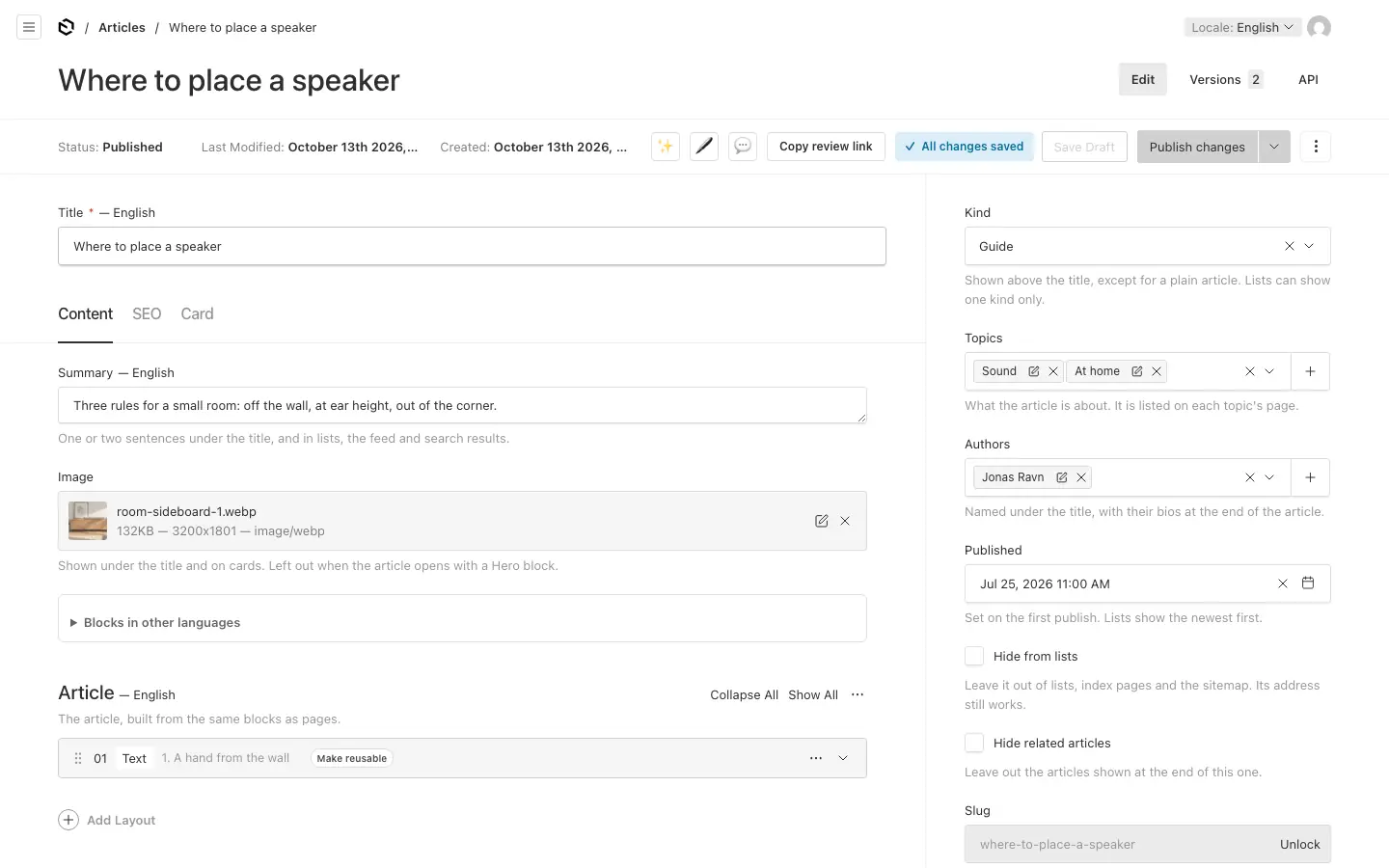
- Content: a Summary (one or two sentences, for lists, the feed and search results), an Image (shown under the title and on cards; left out when the article opens with a Hero block) and the Article itself, built from the same blocks as pages.
- Sidebar: the Kind (Article, News, Press release, Blog post or Guide; a plain article shows no label), Topics, Authors, Published, Hide from lists and Hide related articles (three related articles show at the end otherwise).
News → Authors are the people articles credit: a name, a role, a photo, a short bio and up to five links. The byline names them and the article ends with their bios. Authors have no pages of their own.
Jobs #
Jobs → Jobs, at /jobs.
- Content: a summary and the ad itself.
- Details: the Department, the Employment type, the location and the workplace (on site, hybrid or remote), and the address job search engines show.
- Applying: applications go to a form on the site or to an email address.
- Closing date: from the next day the job leaves the lists, and its page says it is closed.
Departments and employment types are lists of their own under Jobs.
Dealers #
Dealers → Dealers are shown in a list and on a map at /dealers, and wherever a page has a Dealer locator block. Dealers have no pages of their own, and no drafts: Save puts a change live.
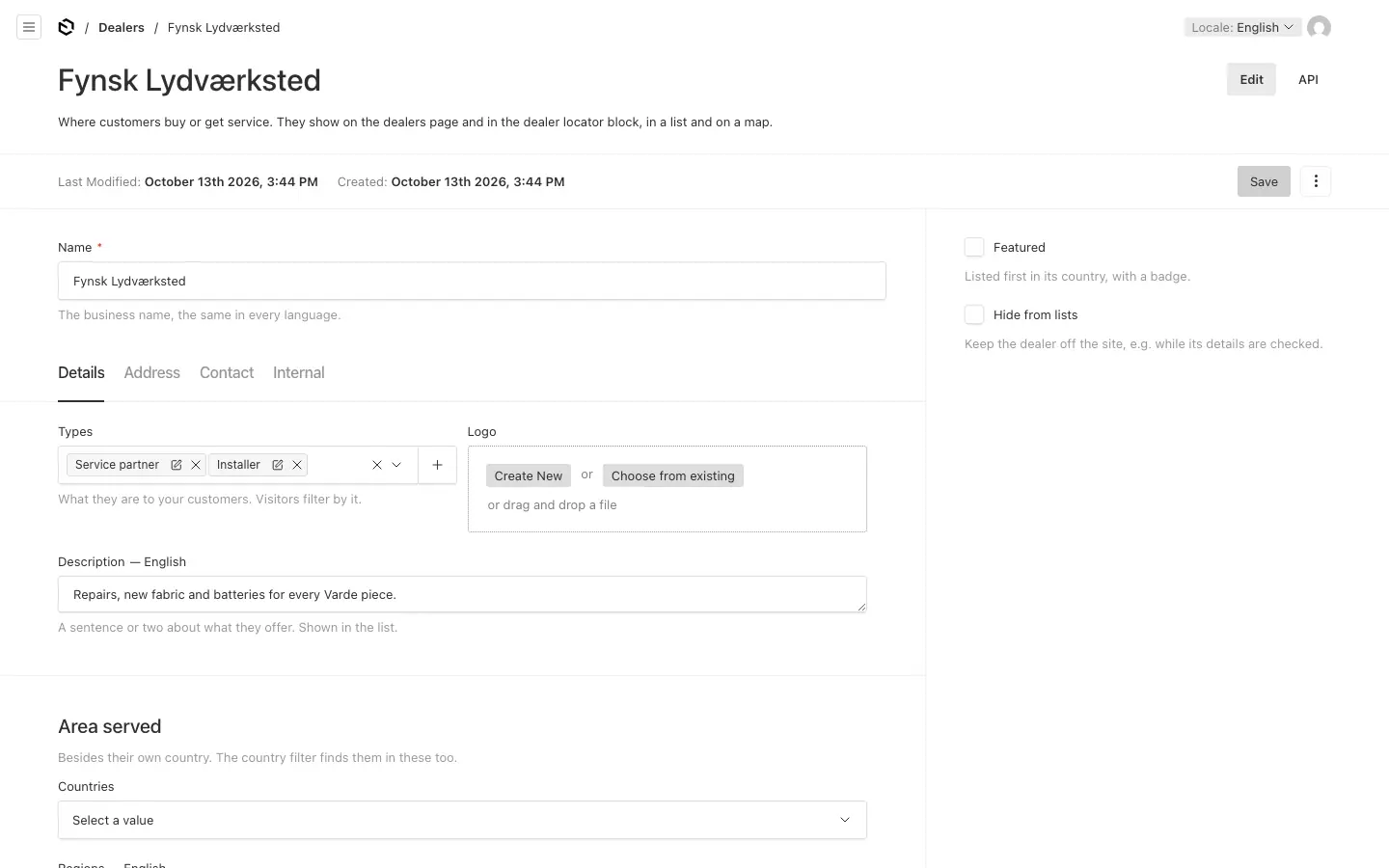
- Details: its types (Dealer types), logo, description and the countries it also serves.
- Address: the country is required. Add the latitude and longitude (both, or neither) to put the dealer on the map.
- Contact: phone, email and website.
- Internal: a contact person and notes, for logged-in people only.
- Featured lists the dealer first in its country, with a badge.
The list opens on the visitor's own country where it has dealers. The map's background is set by an admin in Site settings → Maps.
Case studies #
Case studies, at /cases, with a page per topic and an RSS feed.
- Overview: a summary, the Customer (required), the location, key facts, an image and a video.
- Story: the challenge, the solution, the results and a testimonial.
- More: extra blocks, downloads and up to six related case studies.
Cards show the customer above the title.
The catalog #
Catalog → Products, at /products/<family>/<product>, grouped in Product families at /products/<family>.
Products:
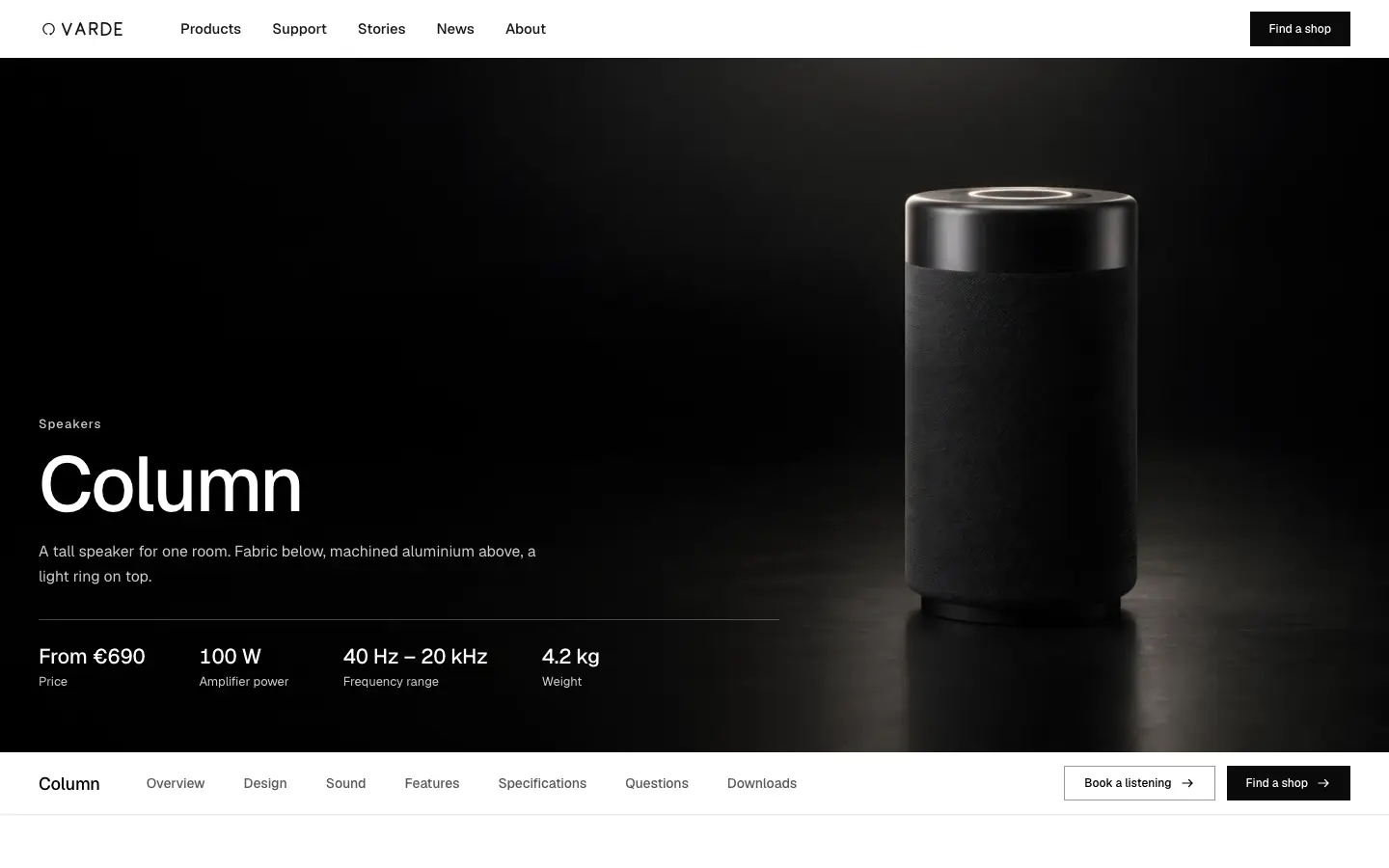
- Content: a summary, a gallery (the first picture is the main one), an Opening picture, key points, a description and more blocks. With an opening picture the page opens with it under the header, as wide as the screen up to 1924 px and 80% of its height, with the name, price and key figures on it; without one, the gallery sits beside the name.
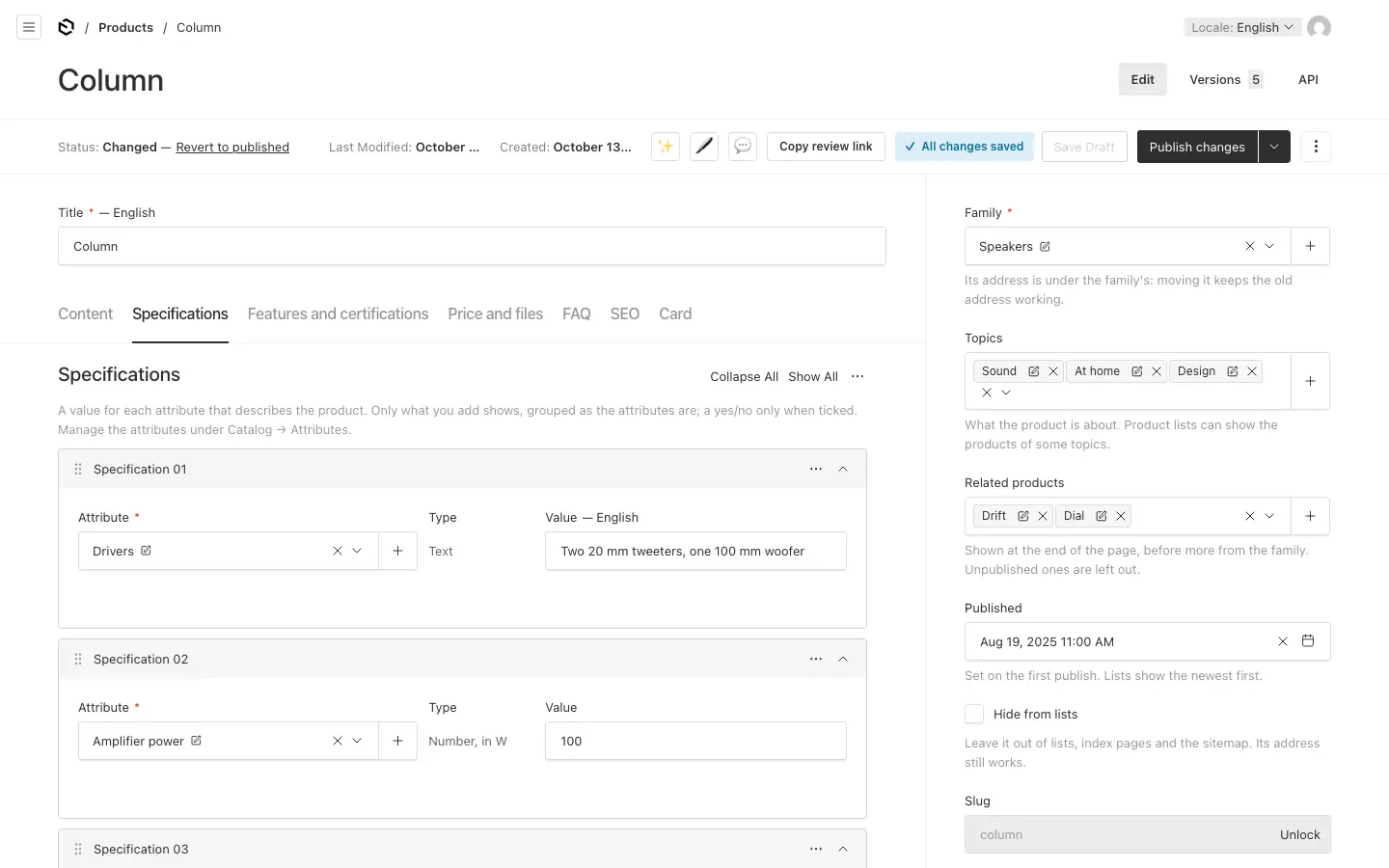
- Specifications: rows of an attribute and its value. The value's type follows the attribute: text, a number with a unit, yes or no, or a choice from options. A product shows only what it states.
- Features and certifications: the selling points and certificates the product has.
- Price and files: the price, a "from" tick, and downloads. Prices show in the visitor's language, in the currency an admin sets in Site settings → Catalog; without a currency, no price shows.
- FAQ: questions and answers.
- Sidebar: the Family (required), topics and related products.
A product's page then has a bar that follows visitors down it: the product's name, links to its sections (Overview, Features, Specifications, Questions, Downloads, where the product has them) and the buttons an admin sets in Site settings → Catalog. A block under More on the page with an Anchor and an eyebrow gets a link in the bar too, named by the eyebrow: give a Statement the anchor design and the eyebrow "Design", and the bar links to it. Those blocks come before the features and specifications, so a product's story reads first.
Product families have a tagline, a description, an image, an opening picture (as a product's), how their page shows the products (in a grid, or in a grid and then side by side for comparing) and more blocks. Where a family compares its products, product lists in a grid link to that comparison ("Compare"). They have no drafts: Save puts a change live. A family that still has products cannot be deleted.
Attributes are the specifications products can state: a label, a type, a unit or options, a group (Attribute groups), an order, whether comparisons show it, whether it is a Key figure (shown large beside the price at the top of a product's page, up to three, in the order of the specifications) and optionally the families it is offered on.
Features are selling points products share, shown as cards that open in place (the Feature cards block): a short label, a description and content, an image or an icon, a card colour and a category (Feature categories).
Certifications have a logo, files with a label and a language each (visitors see their own language's files first), an issuing body, a validity date and a category (Certification categories). The Certifications list block shows them.