🖊 Proofread and 💬 Copy desk
Every translation starts from the default language's text, so its mistakes travel into every language. These tools correct it first, and give you a place to keep or undo what the AI changed.
🖊 Proofread #
In the default language, editors and admins see 🖊 in the toolbar of documents with drafts.
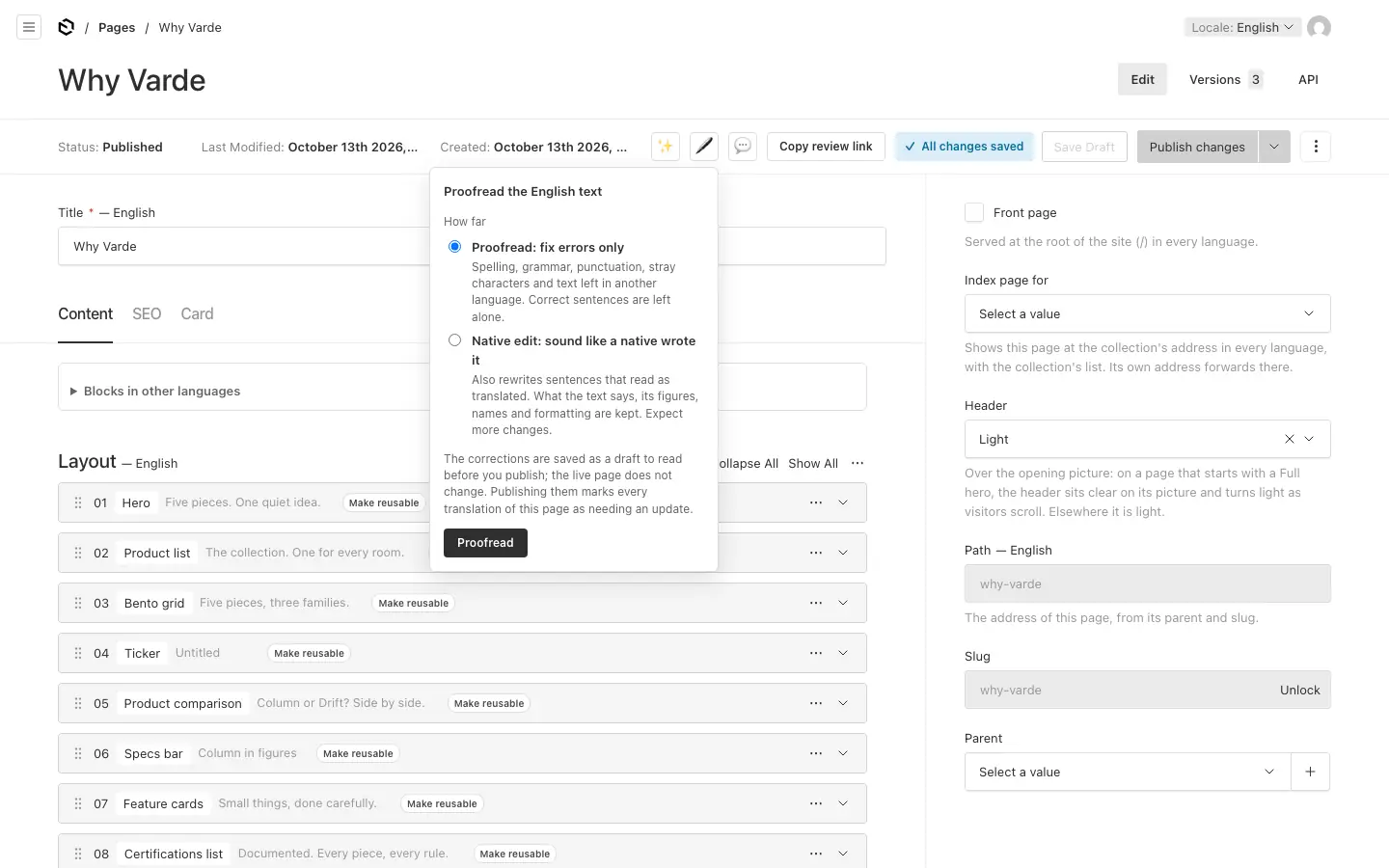
Choose how far it goes:
- Proofread: fix errors only. Spelling, grammar, punctuation, stray characters and text left in another language. Correct sentences are left alone.
- Native edit: sound like a native wrote it. Also rewrites sentences that read as translated. What the text says, its figures, names and formatting are kept. Expect more changes.
Save your changes first, then press Proofread (or Edit). The corrections are saved as a draft in the default language; the live page does not change. The page reloads with a summary: how many texts changed, what kinds of errors were found, and suggestions it was unsure about, which wait at the 💬 copy desk.
When you publish the corrections, every translation of the page is marked as needing an update.
A document whose default-language text is locked is not proofread. The lock belongs to translations, but it can come along when a locked translation is copied into the default language; it then shows in the sidebar there, Lock this translation. Untick it and save to proofread the document.
💬 Copy desk #
💬 is in the toolbar wherever ✨ Translate is, on the languages you may edit (translators: the languages other than the default). A number on it says how many suggestions wait.
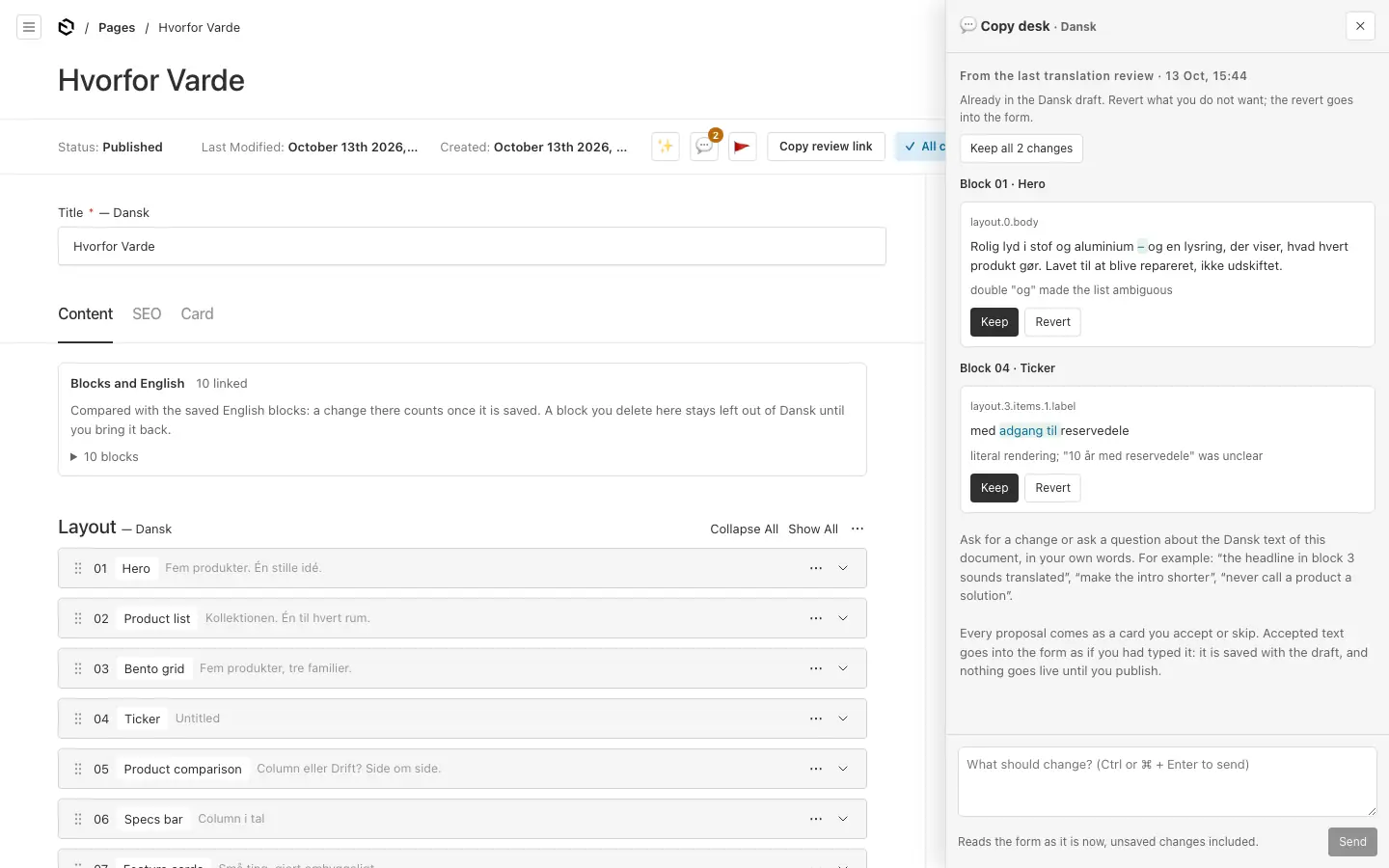
The copy desk never saves anything itself. What you accept goes into the form, as if you had typed it; you save or publish as usual.
From the last pass. What the last 🖊 proofread or native edit changed (in the default language), or what the last translation's review pass changed (in other languages):
- Changes are already in the draft: Keep them, or Revert what you do not want. Keep all accepts the rest.
- Suggestions are changes the AI was not sure about, not applied: Accept or Dismiss. Your call.
Talk to it. Ask for a change or a question about the text on screen, in your own words: "the headline in block 3 sounds translated", "make the intro shorter", "never call a product a solution". It reads the form as it is now, unsaved changes included, and answers with proposals, each a card showing what would change:
- Accept puts the change in the form; Skip leaves it. Accept all takes every card.
- A card warns you when it changes a figure or unit, drops a name that must stay, or breaks the glossary. Its button then reads Accept anyway.
- A card whose text has changed since says so: ask again.
The conversation stays in your browser tab only. New conversation starts afresh.
A proposal that states a rule ("never call a speaker a solution") is kept when you accept it, in a language other than the default, for the translator to learn from (see How the translator learns).
Proofread the site #
Translation → Proofread the site (editors and admins) runs the same proofreader over every document with drafts, on the server, so you can close the page and come back.
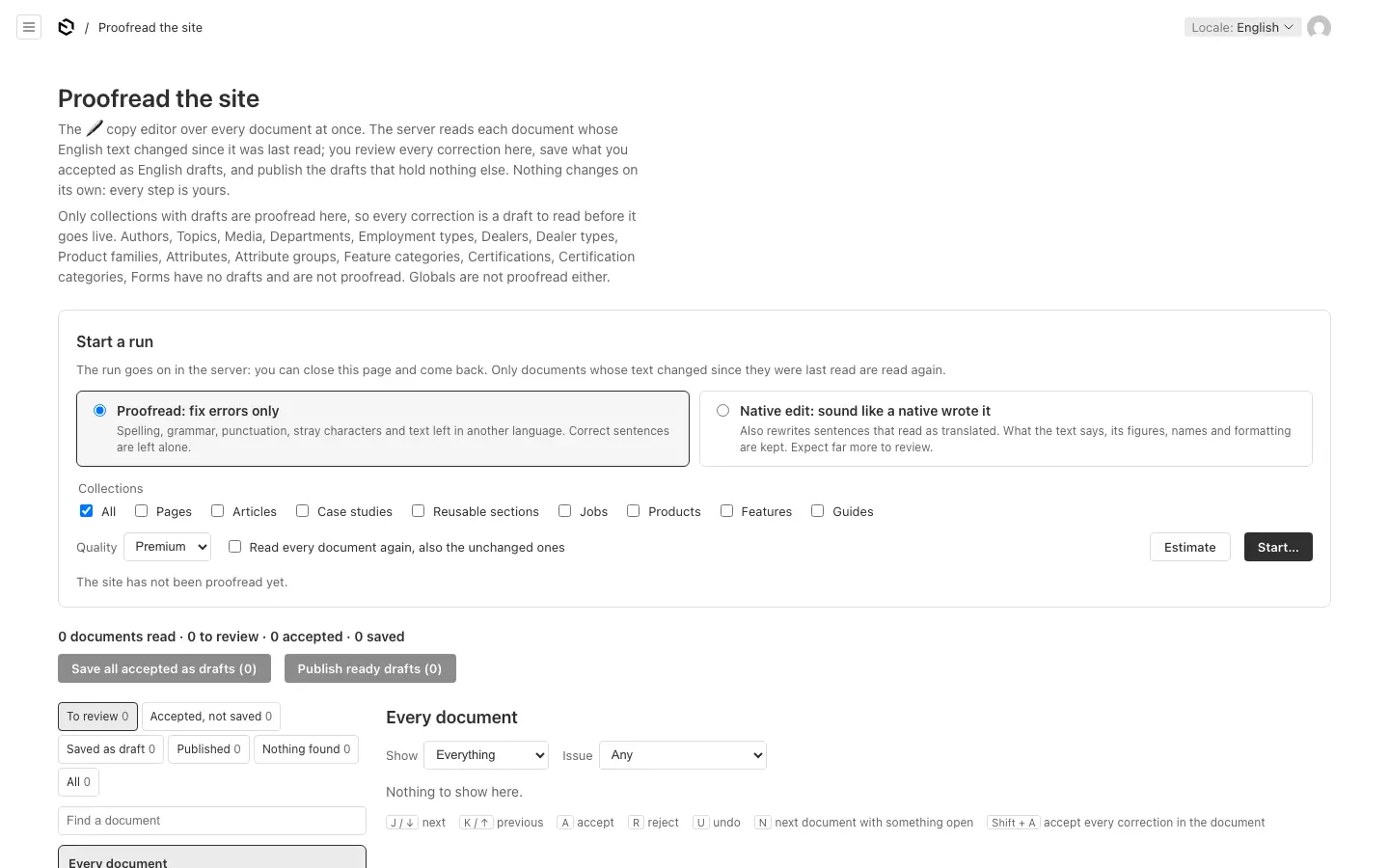
- Start a run. Choose how far (proofread or native edit), which collections, and the quality. Only documents whose text changed since they were last read are read again, unless you tick "Read every document again".
- Estimate shows how many documents and characters that is, and how many AI calls, before anything is spent. Start runs it. One run at a time.
- Review every correction in one list, document by document: Accept, Reject or Undo. Filter by corrections, suggestions, doubts or kind of issue. Keyboard: J and K (or the arrow keys) move, A accepts, R rejects, U undoes, N jumps to the next document with something open.
- Save the accepted corrections as drafts: exactly what you accepted is written, with no further AI call. A correction whose text changed since the run read it is left out.
- Publish the drafts that hold nothing but the corrections, from the same screen. A draft with other unpublished work is published from its own page.
Accept every sure error correction takes all the plain error fixes at once (never the suggestions or the native edits).
Globals (the header, footer and settings) and collections without drafts are not proofread here.