Translation status
Translation → Translation status shows where every page and setting stands in each language. Everyone who logs in can open it; it is there where AI translation is on.
Languages and states #
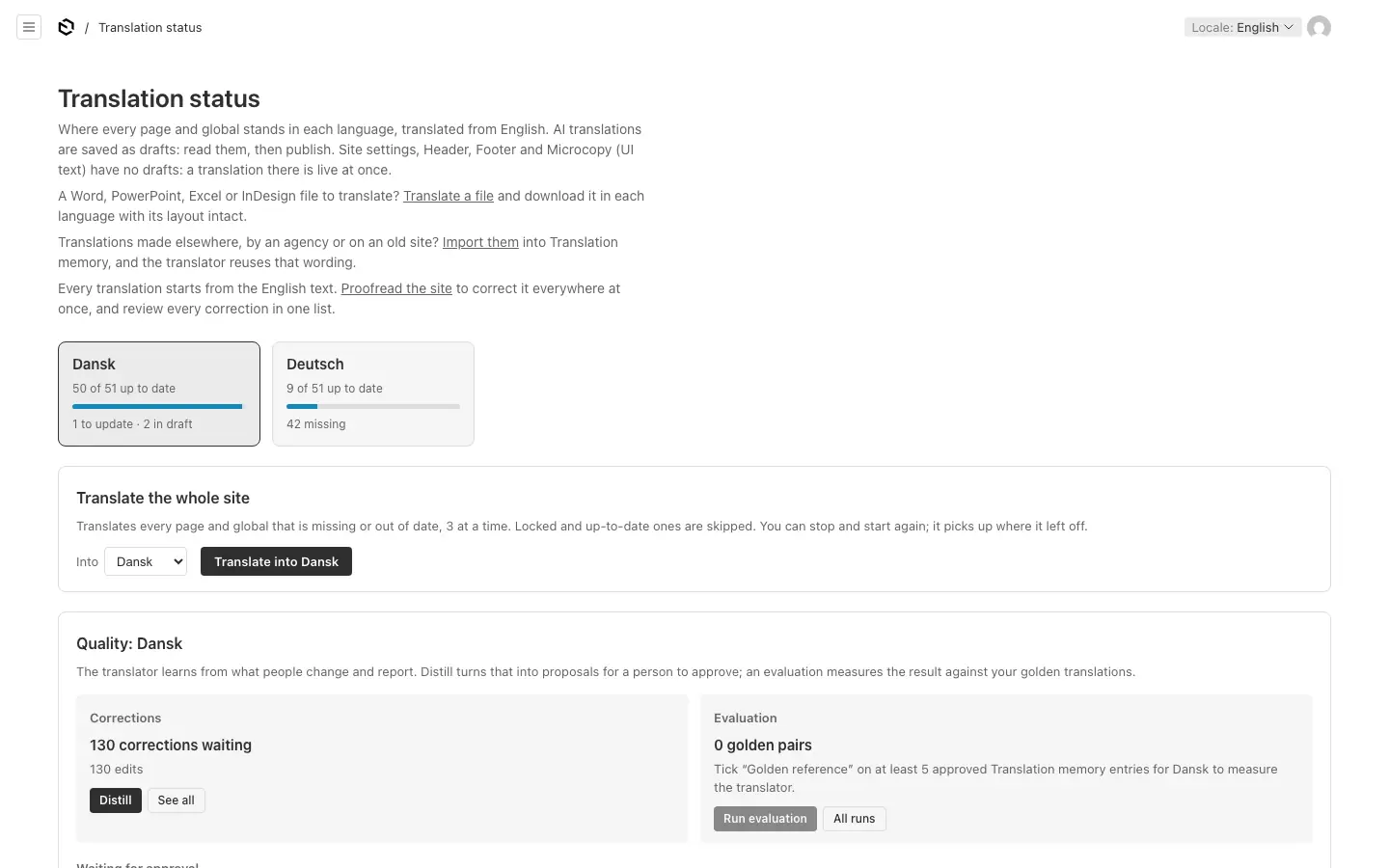
A tab per language shows how many documents are up to date, with a progress bar and what is waiting: missing, to update, too long, in draft. In the table below it, each document has a state per language:
| State | Meaning |
|---|---|
| Missing | Not translated into this language yet. |
| Up to date | Translated from the current text of the default language. A language translated by hand counts as up to date. |
| Needs an update | The default language's text has changed since it was translated, or its blocks are behind (see Blocks in other languages). |
| Too long for a field | A translation was cut to fit its field. Shorten it by hand. |
Beside the state you see whether the language is live, a draft, live with a newer draft, or locked.
Filter the table with Show (everything, missing, needs an update, too long, drafts waiting to be published, locked) and In (one collection or group). Refresh reads it again.
Acting on a row #
- Translate, Update or Translate again runs ✨ Translate for that document and language. Locked languages are not offered.
- Publish (editors and admins) puts only that language live, for a document already published in the default language. A document never published must first be published from its own page.
- Open opens the document in that language.
Translate the whole site #
Pick a language under Into and press Translate into …. It translates every page and setting in that language that is missing or out of date, and skips what is locked, up to date or cut to fit. Pages are saved as drafts; settings without drafts (the header, footer, microcopy) change live.
Keep the page open while it runs: you see each document's state as it goes (waiting, translating, saved, skipped, failed). Stop pauses it; Continue goes on where it stopped. When it finishes, read the drafts and publish them.
The quality panel #
Editors and admins also see the quality of the translations per language:
- Corrections: how many corrections wait to be learned from (edits, reports, copy desk rules, review changes), with Distill and See all.
- Evaluation: how many golden references the language has, with Run evaluation and All runs. An evaluation needs at least five.
- Waiting for approval: glossary terms, notes and examples the learning loop proposes, each to approve or dismiss.
How the translator learns explains them. Translators see a pointer to 🚩 Report translation instead.
The links at the top lead to Translate a file, Import translations and Proofread the site.