Memory, glossary and style guide
Every translation, by ✨ Translate, by a file translation or by someone's own AI assistant, follows the same three sets of rules. They live under Translation in the sidebar. Editors and admins keep them; everyone can read them.
The Translation style guide #
Tells the AI translator who you are and how you write.
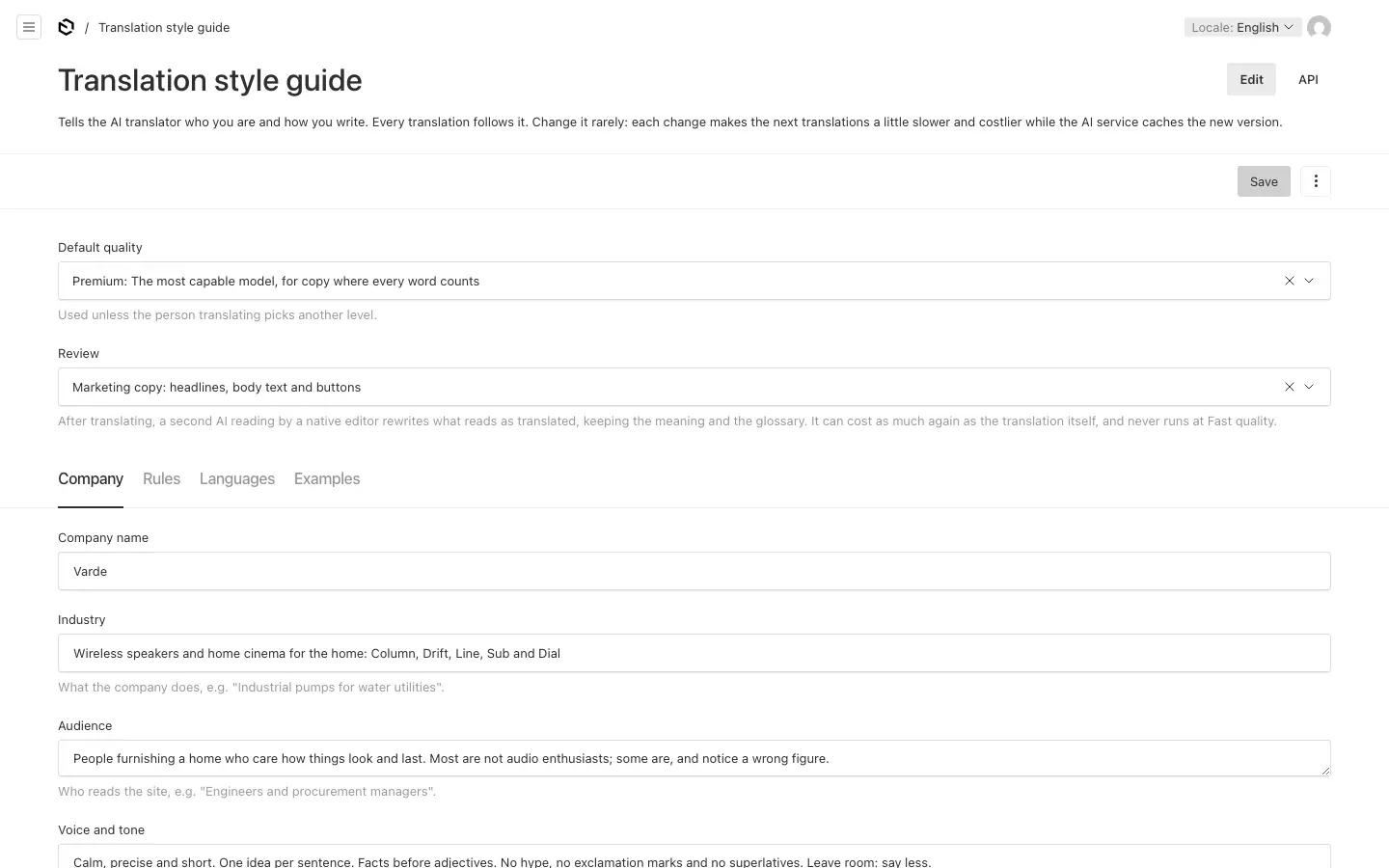
- Default quality: the level ✨ Translate starts with: Premium, Standard or Fast.
- Review: whether the second, native reading runs on marketing copy (headlines, body text and buttons), on all text, or not at all. It can cost as much again as the translation itself.
- Company: the company's name, what it does, its audience, and its voice and tone.
- Rules: formatting rules, one per line, followed literally; and terms never to translate. A term that needs a definition or a decision per language belongs in the Glossary instead.
- Languages: notes per language, such as formal or informal address.
- Examples: good translations to learn from, three to ten per language, picked from approved ones.
Change it rarely: each change makes the next translations a little slower and costlier while the AI service takes in the new version.
The Glossary #
Terms the AI translator must translate the same way every time: product names, technical terms, legal terms, brand names, interface labels.
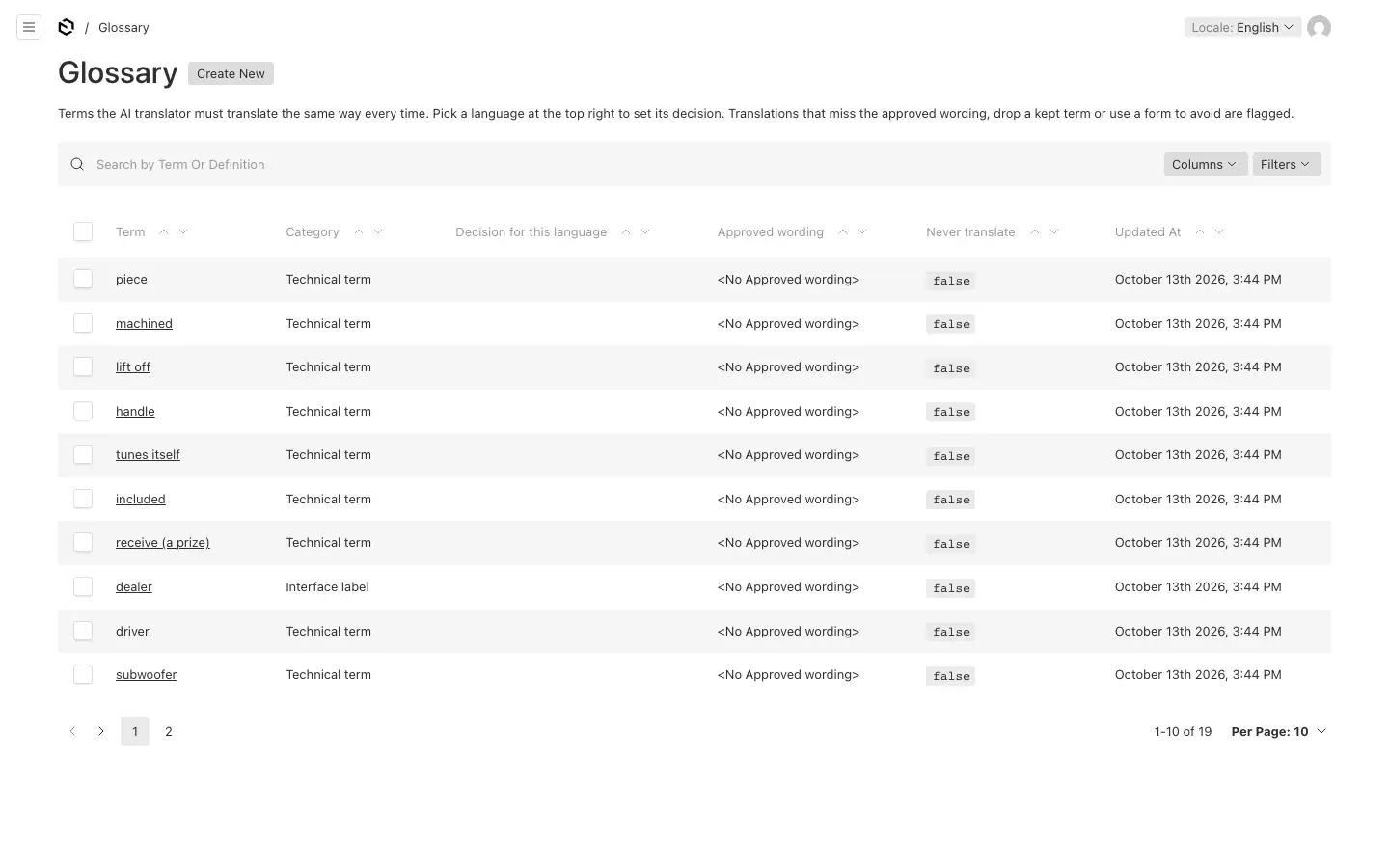
A term has its spelling in the default language, a category, a definition and an example sentence. Then, per language (pick the language at the top of the admin):
- Decision for this language: translate it with the approved wording; keep the term as it is; or not decided yet (the translator uses its judgement and reports the term).
- Approved wording: separate alternatives with
/where the right one depends on the meaning. - Never use in this language: forms to avoid, separated by commas.
Typing a wording sets the decision to Translate by itself. Never translate, for names and model numbers, keeps a term exactly as written in every language. Such a term is matched with its capitals, so a product called "Line" is not confused with the word "line". In a translation the name may take an ending, such as the Danish genitive "Vardes".
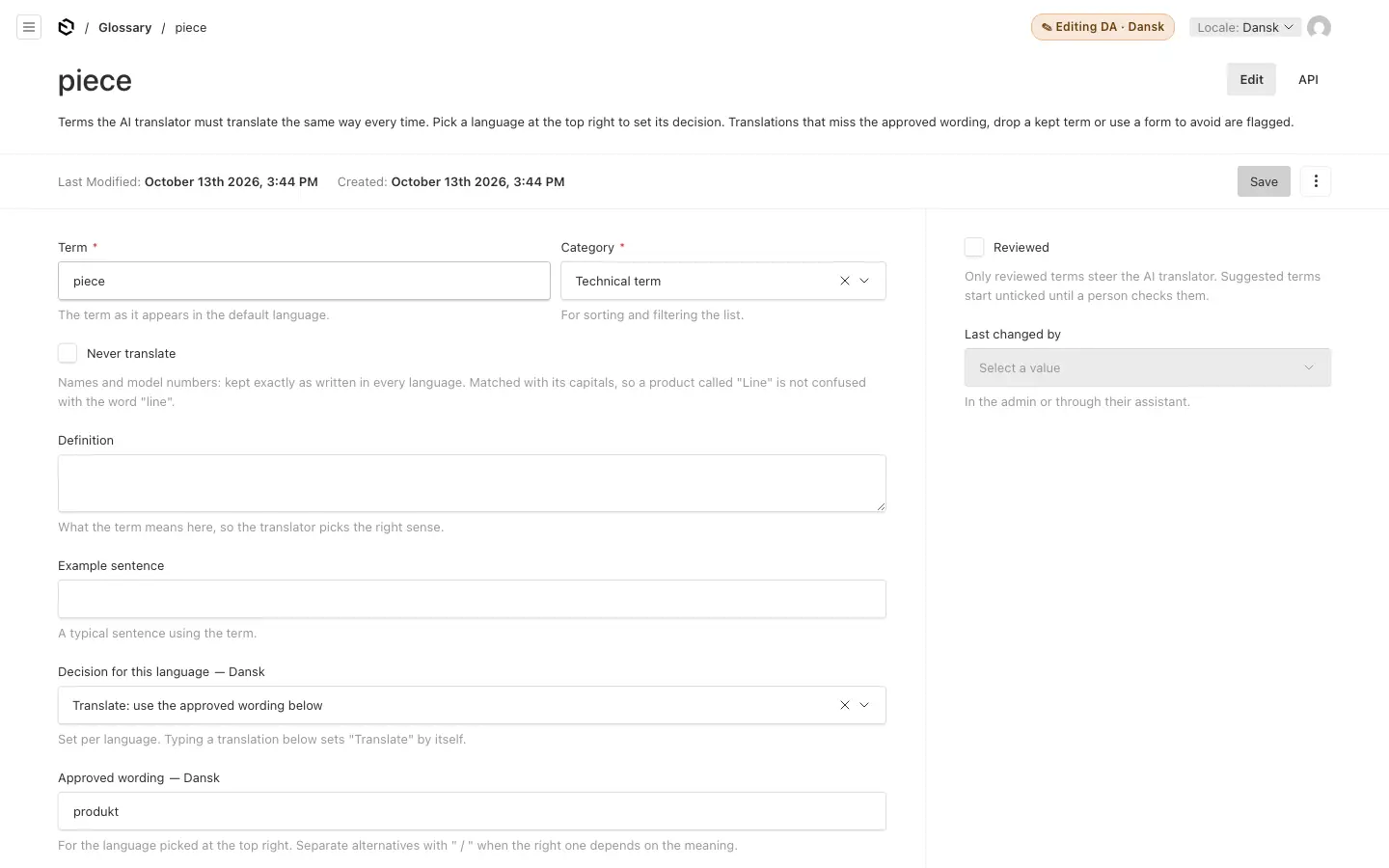
- Reviewed: only reviewed terms steer the translator. Terms that the learning loop or an assistant suggests start unticked until a person checks them.
- After a translation, the glossary is checked: a translation that misses the approved wording, drops a kept term or uses a form to avoid is retried once, then flagged in the report.
- When you change a term, approved memory entries that break the new rule go back to draft, so they are not reused. Nothing is deleted.
- Apply across the site (on a term, with AI translation) finds published translations that do not follow the term's decision, and fixes them as drafts to publish (or live, for settings without drafts). It changes only the texts that break the rule, and leaves a person's other edits alone. Locked languages are left for a person to change by hand.
Translators can set a term's decisions in their languages; editors and admins also add and delete terms.
Translation memory #
Texts translated before, one entry per text and language.
- Approved entries are reused word for word: the AI translator does not see those texts at all, which also saves its cost. Similar approved entries are shown to it as references.
- Draft entries are not reused. Every AI translation is recorded as a draft.
- Publishing approves, where your site has AI translation. When a translation is published in a language other than the default, its texts are approved in memory, in the background a minute later. A text published exactly as the AI wrote it approves nothing: only a person's wording counts. Where the person changed the AI's text, the change is also recorded for the learning loop. A site with only people's own AI assistants connected learns nothing from publishing: approve entries in Translation memory by hand.
- A glossary change sends entries that break the new rule back to draft.
Each entry shows its source, its translation, the language pair, its status, who made it (a person, the AI or an assistant's suggestion) and where it came from. Editors and admins can edit, approve and delete entries, and import translations made elsewhere (see Files and imports).
Golden reference marks an approved entry as a model translation that evaluations measure the translator against: aim for 50 to 100 per language. See How the translator learns.