Navigation and site settings
Four entries under Settings shape every page: the Header, the Footer, Site settings and Microcopy. None of them has drafts: Save puts a change live at once. If a saved change does not show, press Clear site cache on the dashboard.
Header #
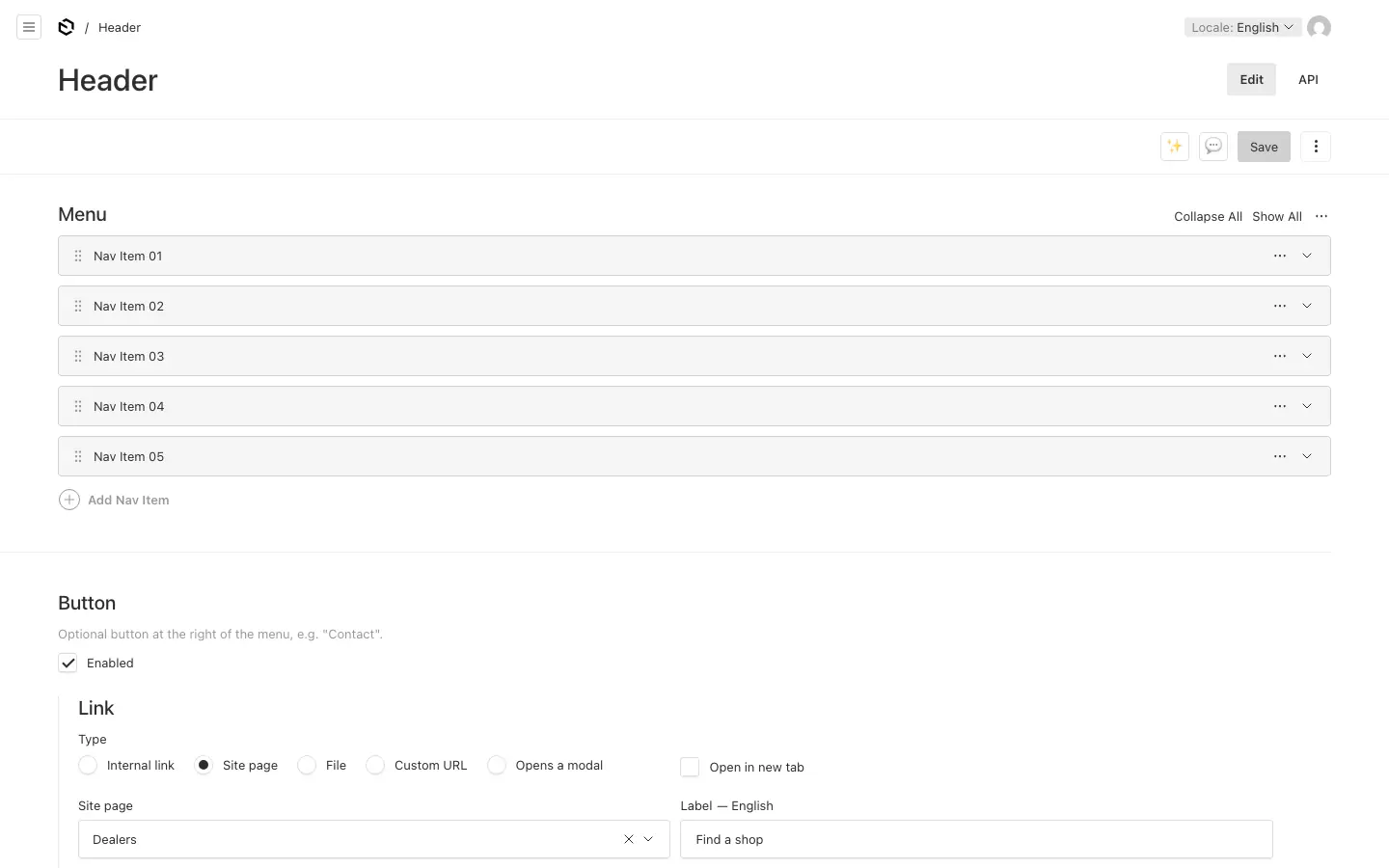
- Menu: up to eight links. Give an item Dropdown columns (up to four, each with a title and links) and it opens a wide dropdown instead of linking straight away.
- Button: an optional button at the right of the menu. Tick Enabled and set its link.
Footer #
A tagline under the logo, up to five columns of links, social media links (LinkedIn, Facebook, Instagram, YouTube, X, TikTok), an address, the small links at the bottom (privacy, terms, cookies) and the copyright line. Leave the copyright empty to show "© year, site name. All rights reserved." in the visitor's language.
Links #
A link's Type says where it goes: Internal link (a page or another document of the site), Site page (the front page, or a collection's list such as the news or the dealers), File (from Media), Custom URL (any other address) or Opens a modal (on the same page). A link to a page follows the page: rename or move it, and the link still works; in another language it leads to that language's version of the page.
Site settings #
Site settings are for admins: editors and translators do not see them.
| Tab | What it holds |
|---|---|
| General | The site name (used in page titles, the copyright line, and as the logo when none is uploaded), the logo, the icon, and the image shown when a page without one of its own is shared. A single-colour SVG makes the best logo: it takes the header's colour, light or dark. The icon is what a phone puts on its home screen when someone adds the site: a square picture of at least 180 × 180 pixels, filled to the edges, as the phone rounds the corners. Without one, the site uses a plain dark square. |
| Organisation | The organisation's name, description, email, phone and address. Search engines read them; they are not shown on pages. |
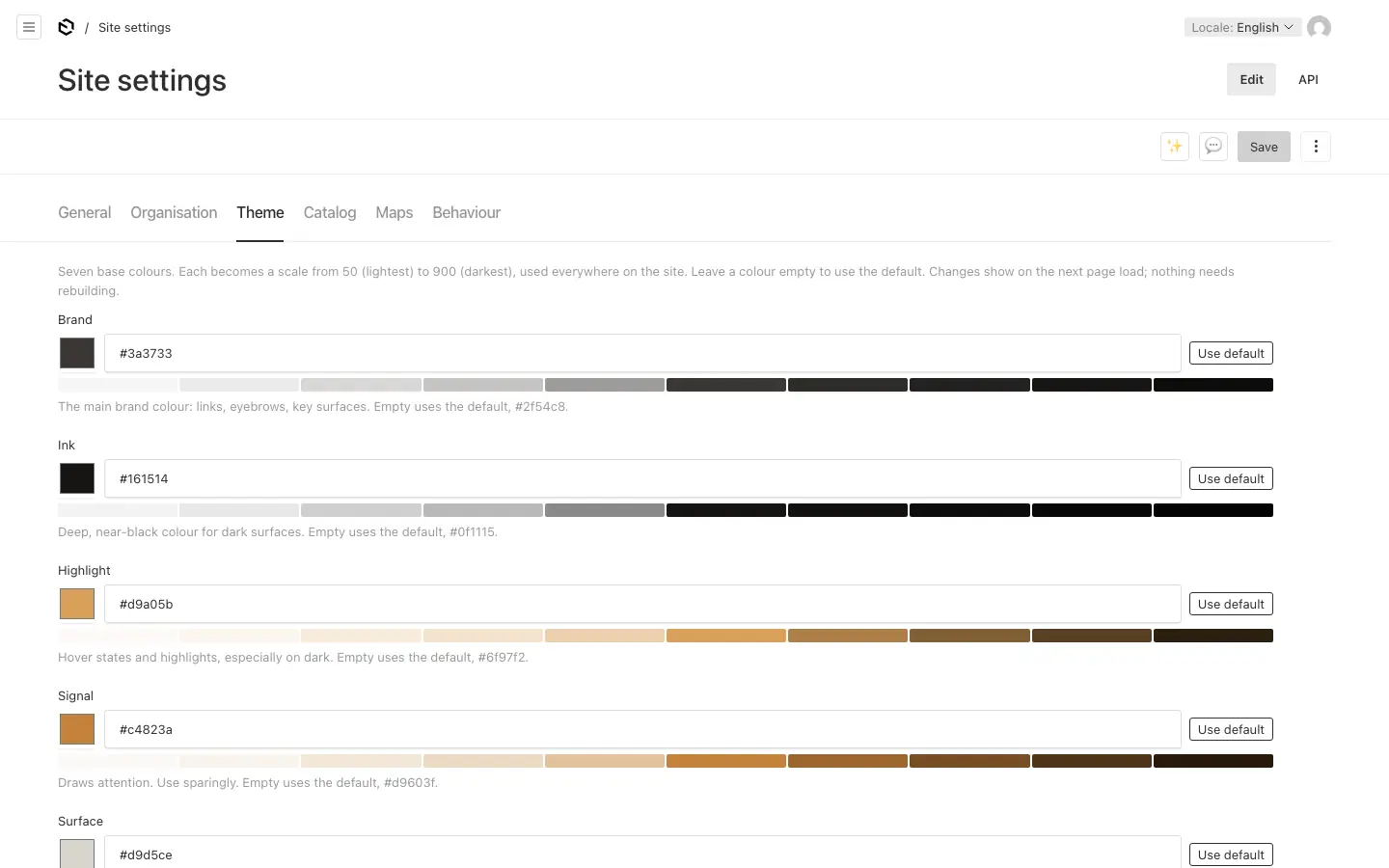
| Theme | Seven base colours and two tints. Each colour becomes a scale from light to dark that the whole site uses, and text colours follow so text stays readable. A colour left empty uses the default, shown in grey; Use default empties it again. A change shows on the next page load. |
| Catalog | The currency of product prices (with the catalog module); without a currency, no prices show. And up to two Buttons on product pages, at the right of the bar that follows visitors down every product page, such as "Find a shop": the first is the one phones show. |
| Maps | Where the dealer map's background comes from: OpenStreetMap, another tile server, or none (with the dealers module). |
| Behaviour | Scroll animations: how sections come into view as visitors scroll (see below). And Search engines: "Welcome" lists the site in search results; "Keep out" is for a staging or test copy. |
Scroll animations #
- Fade (the default): sections fade up a little as they scroll into view.
- Premium: slower and larger. Headlines rise line by line, the dimmed second line after the first; pictures open from a rounded inset while the image settles; the opening picture at the top of a page drifts a little slower than the page as visitors scroll past it; card pictures zoom slightly under the pointer. The top of the page plays as it loads. It suits a site that leads with large photographs.
- No scroll animations: everything shows at once.
Visitors who ask their system for less motion never see any of them, whatever is picked. Content never depends on an animation to show: a browser that cannot tie animations to scrolling plays them once, as the page loads.
Microcopy #
Settings → Microcopy (UI text) holds every small text in the site's interface: menu buttons, form messages, the page-not-found text, labels on cards and lists. They are grouped by where they appear. Each field shows its default. Fill one in to replace the default, or leave it empty to keep it. A module's texts are hidden while the module is off.
In other languages #
The menu and footer have the same links, in the same order, in every language. Their words are per language: link labels, column titles, the tagline, the address and the copyright. Switch the language at the top of the admin to write them, and to change the microcopy of another language. ✨ Translate works here too, where AI translation is on; because there are no drafts, a translation of the header or footer is live at once.